Workday autofill extension.
Candora is a free Chrome extension that fills Workday applications from one profile, page by page: your details, every job and school, your resume and the questions you’ve answered before. It stops before Submit, and it never creates an account or signs in for you.
Add Candora to Chrome, it’s free
What Candora fills on Workday
Workday splits an application into pages and swaps them without changing the address, so Candora fills each page as it appears:
- Sign-in and create account: your email and password, from a job-site login saved in Candora’s Settings. You press the button.
- My Information: name, address, email and phone, including Workday’s phone country code picker, and “How did you hear about us?” when your profile has an answer that matches its list.
- My Experience: up to 10 jobs and 10 schools. Candora presses Workday’s Add buttons to make one block per entry, then fills title, company, location, month and year dates, “I currently work here” and the description; for school, degree, field of study, grade average and years attended. It also attaches your resume.
- Application Questions: work authorization, sponsorship and other screening questions your profile or saved answers cover.
- Voluntary Disclosures: the optional diversity answers, only if you filled them in. Leave them blank to answer by hand.
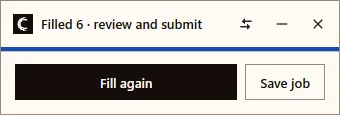
The Candora card on the page lists what it filled and what is left for you, including any required picker still empty.
What is left for you
- The Skills picker, in part. Candora tries up to ten of your skills by browsing its very long list; check the box and add what’s missing.
- Essay questions Candora has no saved answer for. Type them, or ask for an AI draft: free accounts get 5, and nothing is inserted until you click.
- Signing in and creating the account. Candora fills the form; the click is yours.
- The Review page and Submit.
How to start
- Install Candora and open Profile. Type your details, or import your resume (free once with a Google sign-in).
- Optional: save your job-site email and password in Settings, locked with a passphrase you choose.
- Open a job on a company’s Workday site (an address ending in myworkdayjobs.com or myworkdaysite.com) and press Apply.
- Check each page, add what the card lists, press Save and Continue, and submit when you’re happy.
Honest limits
- Every employer’s Workday is a separate account. Candora fills the form but can’t remove that step.
- Workday’s search pickers only work by browsing their list, so on long lists they take a few seconds each.
- Some employers add pages of their own, such as a self-identification page or a second questionnaire. Candora hasn’t been tested on those yet, so read them closely.
- Workday sometimes shows “Something went wrong” or a blank page. Reload, then press Fill again on the card.
Questions
- Is there a free Workday autofill extension?
- Candora is free and fills Workday applications without an account: contact details, work history, education, your resume and the screening and diversity questions you’ve answered in your profile. Everything stays in your browser.
- Does Candora create my Workday account for me?
- No. Each employer’s Workday site needs its own account. Candora can fill the sign-in and create-account forms from a job-site login you save in Settings, encrypted with a passphrase, but you press Sign In or Create Account yourself.
- Does it click Save and Continue or Submit on Workday?
- Not by default. Candora fills each page and stops. Two settings, both off until you turn them on, can click Save and Continue when nothing required is missing, or submit when every required field is filled.
- Why are my Workday skills empty after filling?
- Candora tries to add up to ten skills from your profile by browsing Workday’s skills list. That list is very long, so some skills may not be found, and the card doesn’t list a miss because the field is optional. Check the box and add any that are missing.
- What if Workday already has old details in my account?
- Workday keeps what you entered in that employer’s account. Candora fills empty fields and leaves a date that is already complete, so fix any old entry by hand once.